Using the Pension Estimator
The Pension Estimator is designed to help you understand how much income you may receive from your HEB Manitoba Pension).
You can see the impact to your estimated pension:
- At different retirement ages,
- With different forms of pension, and
- When your salary or working hours change.
You can create and save your estimate assumptions to compare the many options available to you at retirement.
To use the estimator you must be registered and logged in to the member portal.
Getting Started
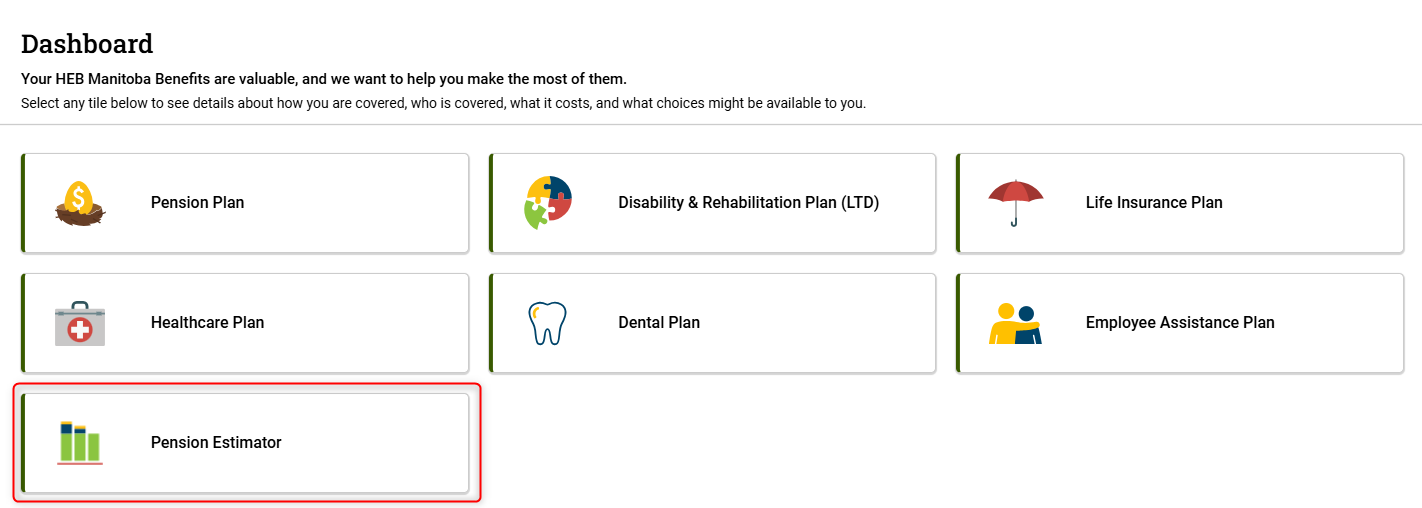
- Click on the Pension Estimator tile on the dashboard. There is also a link on the right side of the Pension Plan page.
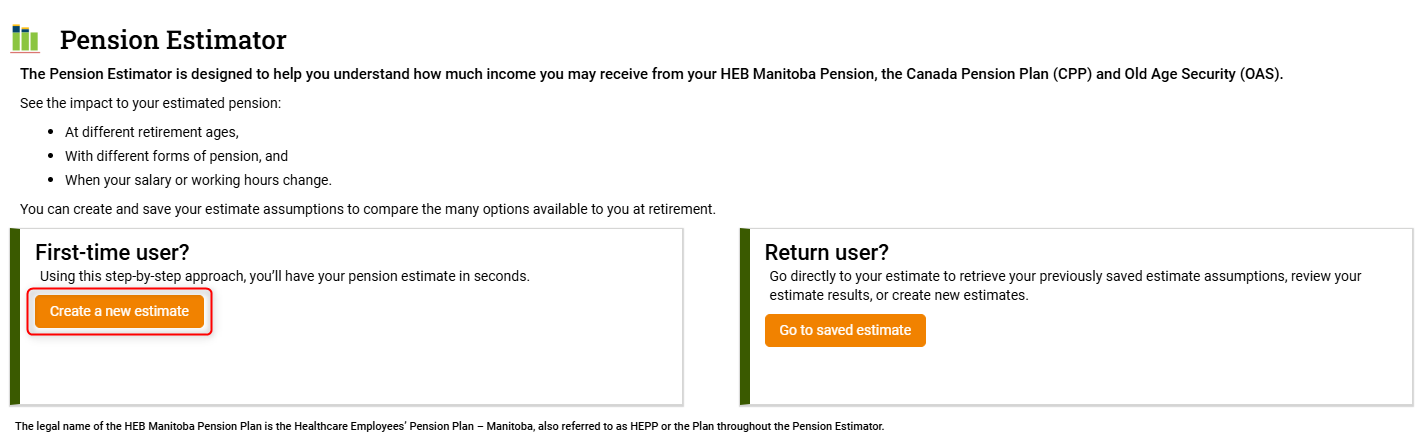
- You'll be asked if you're a first-time or return user - unless you have a saved estimate click the Create a new estimate button under first-time user.
- Read the Terms of Use and scroll to the bottom of the page. Click the checkbox to accept the terms and then click the Go to Pension Estimator button.

- Select the retirement date from the dropdown menu of your eligible retirement dates that you’d like to use in your estimate. You can also enter a custom date or use a retirement age instead of a date. Read about eligibility.
You can change this later in the estimator to compare estimates using different dates. Click the Confirm and Continue button.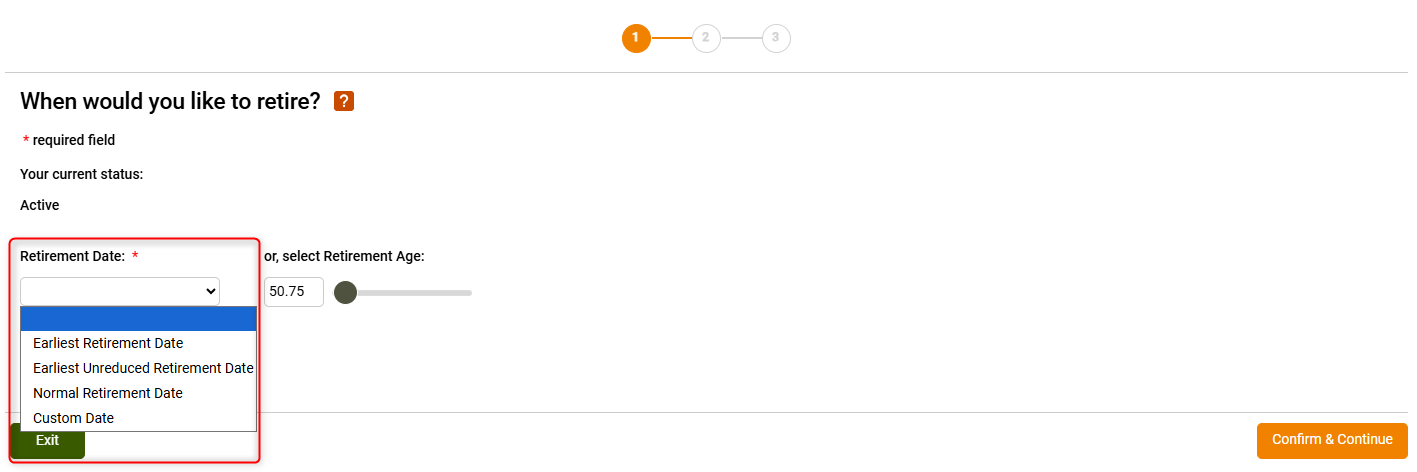
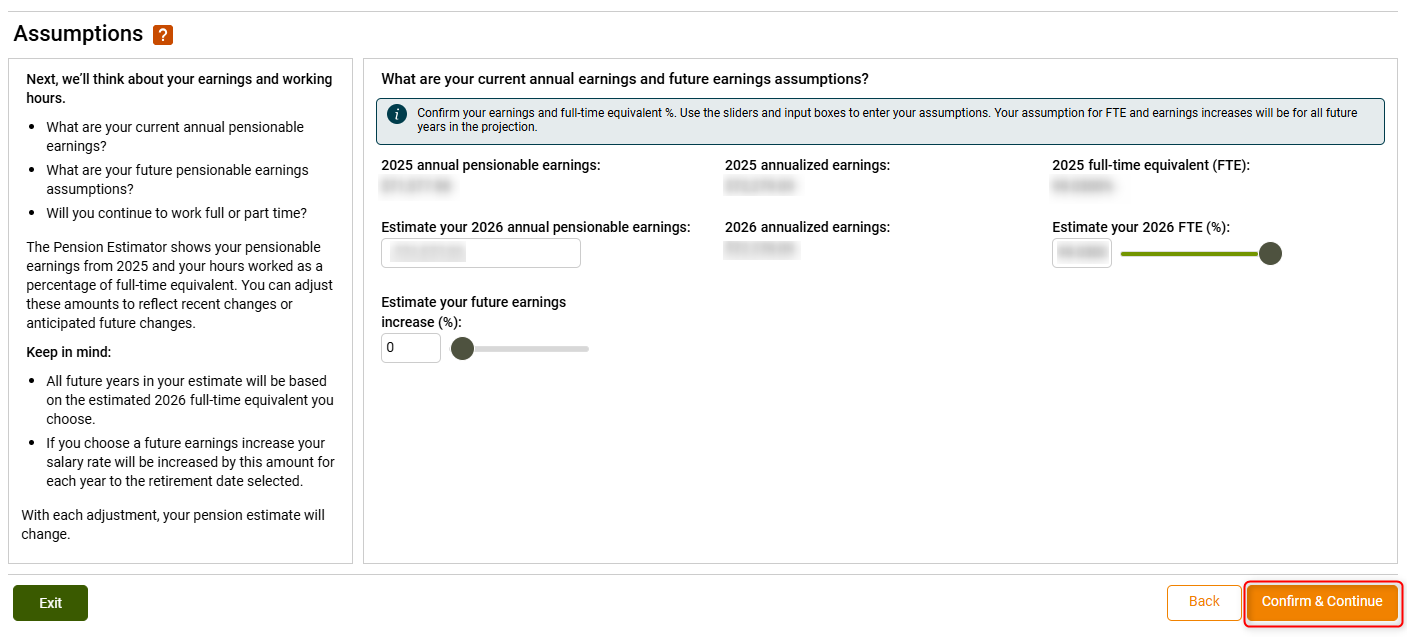
- Review the earnings assumptions that will be used to make your estimate. This is information in our system that is provided by your employers. You can change your earnings for the current year, add a future increase percentage, and change your full-time equivalent (FTE). This can also be updated later in the estimator. Click the Confirm and Continue button.
- Finally, confirm the relationship information that we have for you in our system. Click the Done! Go to Your Estimate button.
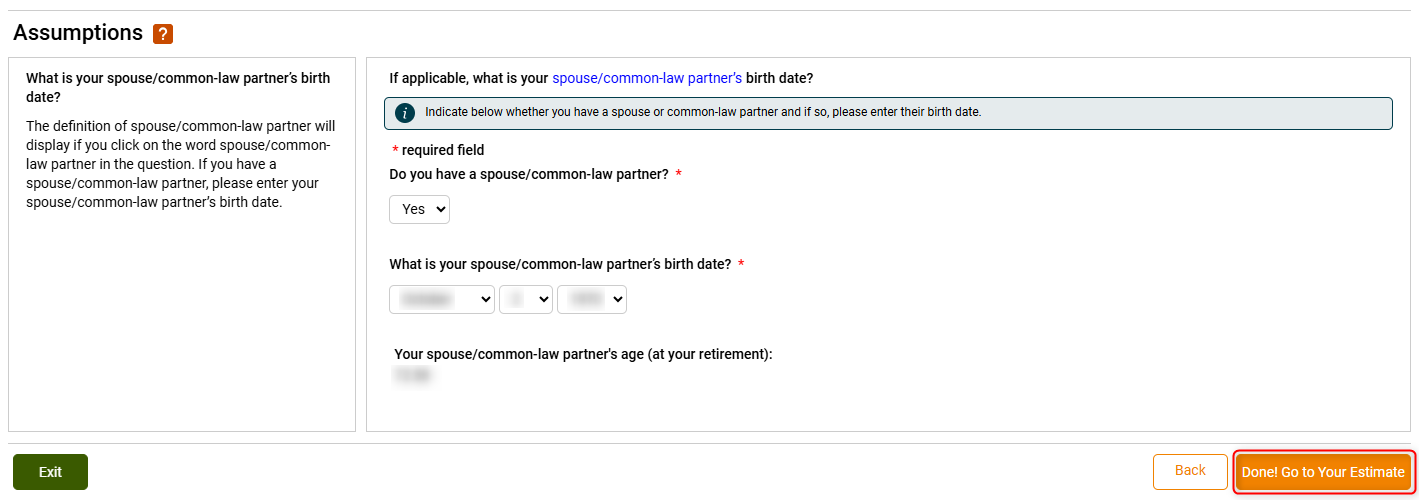
Please contact us if the information in your assumptions is incorrect.
Reviewing Your Estimate
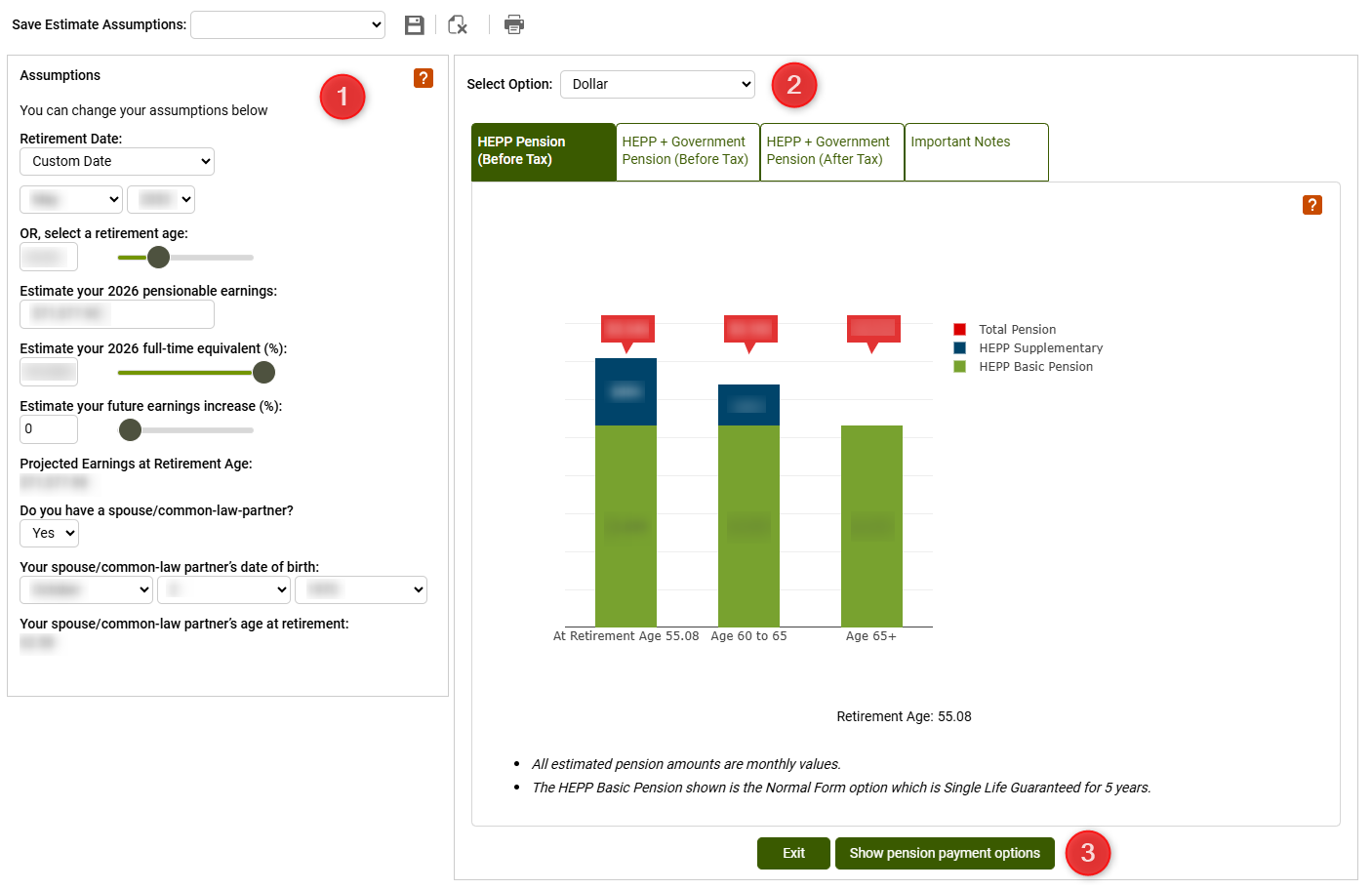
1. Assumptions
The left side of the page shows the assumptions that you confirmed in the previous steps. You can change these to see how different scenarios affect your estimate. For example, you may want to see what your pension would be at the normal retirement age of 65 compared to if you retired earlier. When you change something in the assumptions your estimate is updated to reflect the change.
2. Estimate
Your estimate is generated using the base or normal form of pension under the Plan, which is the Single Life with a five-year guarantee period. Read more about pension options.
The middle of the page shows your estimated monthly pension. The Select Option dropdown allows you to show your pension in dollars or as a percentage of what your pension would replace of your projected earnings at retirement. You can also switch to a table view.
Depending on the retirement age you used, there are 1-3 charts showing your estimated pension at:
If your retirement age is before age 65 your pension will include the supplementary benefit and potentially the bridge benefit. Read about the supplementary and bridge benefits.
There are four tabs at the top of the estimate:
- HEPP Pension (Before Tax) is the default view showing only your estimated HEPP pension before tax deductions.
- HEPP + Government Pension* (Before Tax) adds your potential Old Age Security (OAS)and Canada Pension Plan (CPP) Benefits.
- HEPP + Government Pension* (After Tax) shows your estimated HEPP and government pension after estimated taxes are deducted.The estimator uses the federal basic personal exemption amount to estimate the tax deduction. When you retire you will complete TD1 forms to determine the actual tax deduction.
- Important Notes gives you information about what your estimate is based on and how future earnings are calculated.
* Contact Service Canada for specific information about government pensions.
3. Pension Payment Options
Click the Show pension payment options button to show the different payment options for your pension. There are many different options available. Read more about pension options.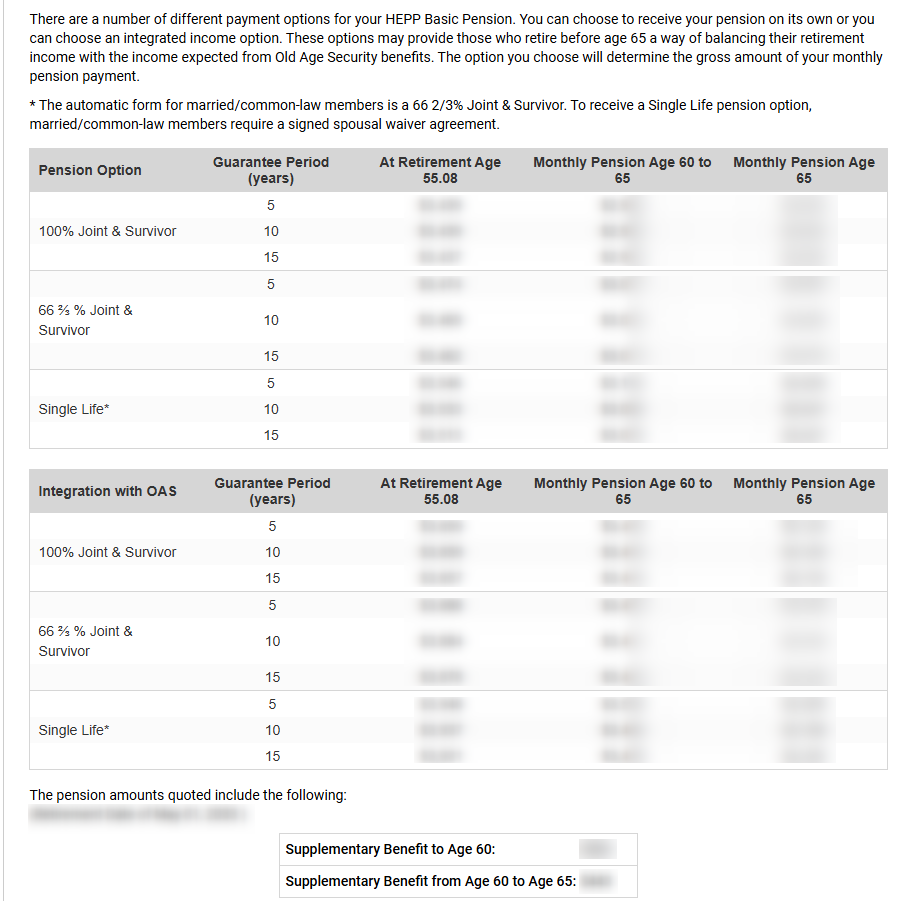
Please contact us to set up an appointment with a Pension Specialist if you have any questions!